 11
11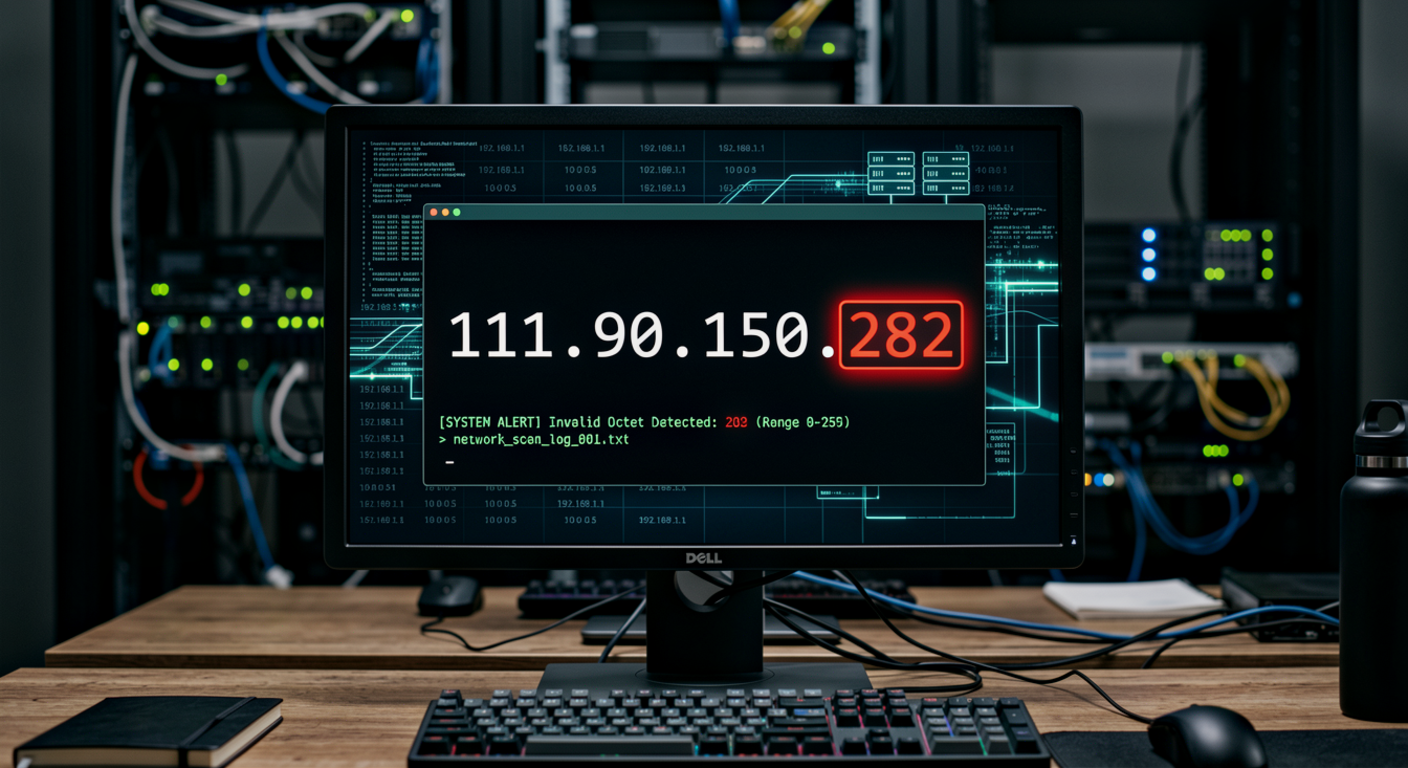
111.90.150.282 is not a valid IPv4 address because an IPv4 octet cannot be higher than 255. An IPv4 address contains four numerical sections separated by periods, and each section must contain a value from 0 to 255. While 111, 90, and 150 are all valid octets, 282 is not.
This means the address cannot represent a standard IPv4 host on the public internet. If you saw it somewhere, it is more likely to be a typo, formatting error, corrupted data, or incorrectly generated address than a real public IPv4 endpoint.
IPv4 uses four 8-bit sections called octets. Because eight bits can represent values from 0 to 255, every section of a conventional IPv4 address must stay within that range.
For example, 111.90.150.28 is structurally valid because every section falls between 0 and 255. In contrast, 111.90.150.282 fails the basic IPv4 format check because 282 is 27 numbers higher than the maximum permitted value.
This is one of the easiest ways to identify a malformed IPv4 address. You do not need to know the ISP, location, hostname, or network owner first. Checking the four octets is enough to establish that the exact address is invalid.
The first three sections, 111.90.150, are part of a real network range. Public IP-range information lists 111.90.150.0 through 111.90.150.255 as the 111.90.150.0/24 range. That gives the range 256 numerical addresses in total.
This is important because it explains why an address such as 111.90.150.28 can exist while 111.90.150.282 cannot. The final octet in a /24 range runs from 0 to 255, not from 0 to 999.
So, if someone intended to write an address from this network, the final number would need to be between 0 and 255.
Current public network information associates the 111.90.150.0/24 range with AS45839 — Shinjiru Technology Sdn Bhd. IPinfo identifies the range as part of the larger 111.90.144.0/21 BGP prefix and lists Shinjiru Technology Sdn Bhd as the organization associated with the autonomous system.
Another public range database identifies the same /24 block as having Malaysia as its country association and classifies its usage as data center, web hosting, or transit.
That information applies to the valid network range, however. It does not make 111.90.150.282 valid, and it does not prove that the malformed address belongs to Shinjiru or any particular server.
Not reliably. Since 111.90.150.282 is not a valid IPv4 address, a conventional IP geolocation service cannot legitimately assign a precise location to that exact address.
You may find location information for other valid addresses inside the same network. For example, public records for several valid 111.90.150.x addresses associate them with Kuala Lumpur, Malaysia and AS45839.
But this should not be turned into a claim that 111.90.150.282 itself is located in Kuala Lumpur. The malformed address does not correspond to a valid host address.
Yes, and this is one of the most practical explanations. Someone entering an IP manually could accidentally type 282 instead of another number. Software can also produce malformed output because of parsing, formatting, data conversion, or application bugs.
For example, the intended address could potentially have been 111.90.150.28, 111.90.150.82, 111.90.150.202, or another valid address. There is no way to know which one was intended simply from 111.90.150.282.
That is why you should check the original source before drawing conclusions about the address.
If this address appeared in a firewall, website, application, or security log, do not immediately treat it as evidence of an attack from a real internet host. First, verify how the log generated and stored the address.
A malformed IP can result from an application parsing problem, an incorrectly formatted field, a custom logging system, or data that was copied incorrectly. The surrounding log entries may provide the missing context.
Look at the timestamp, request path, user-agent string, source port, destination port, event type, and neighboring records. If another field contains a valid IP address, that may help identify what actually happened.
There is no basis for making that claim. In fact, because the address itself is invalid, it cannot be used as a reliable identifier for a person, household, company, or device.
Even with a valid public IP address, an IP lookup generally identifies network infrastructure or an approximate geographic association rather than revealing the identity of an individual. Hosting networks can also contain many websites and services.
The 111.90.150.0/24 range itself contains multiple addresses associated with different hostnames and hosted domains. Public IP-range information shows several hosts within the range, illustrating why an IP address should not automatically be treated as a personal identity.
No. The more fundamental issue is that it is not a valid IPv4 address at all.
Private IPv4 addresses are normally found in specific reserved ranges, such as 10.0.0.0/8, 172.16.0.0/12, and 192.168.0.0/16. An address beginning with 111.90.150 is not within those standard private ranges.
However, because the final octet is 282, the exact address still fails the basic syntax requirements before questions about public versus private addressing become relevant.
For the 111.90.150.0/24 network, the listed address range is 111.90.150.0 to 111.90.150.255. That means 111.90.150.282 sits 27 numbers beyond the highest address in that range.
This makes the error easy to spot when the address is viewed alongside the network range. The final number simply does not fit.
It is also worth remembering that CIDR notation matters. A /24 network contains 256 address values in its fourth octet, numbered from 0 through 255.
The difference is only one digit, but technically it is significant. 111.90.150.28 is a syntactically valid IPv4 address, while 111.90.150.282 is not.
Public network information includes 111.90.150.28 within the 111.90.150.0/24 range, and WHOIS-related information associates that network with Shinjiru Technology Sdn Bhd.
That does not mean 111.90.150.28 is necessarily the address intended by someone who wrote 111.90.150.282. It is simply an example of how a one-digit difference can change an invalid address into a valid one.
The surrounding network is associated with hosting infrastructure. For example, public records for valid addresses in the range identify hostnames such as server1.kamon.la, and IPinfo classifies several addresses from the block as hosting or web-server infrastructure.
Still, it would be incorrect to extend those findings directly to 111.90.150.282. The exact address does not exist as a valid IPv4 address, so there is no legitimate host record for that numerical endpoint.
This distinction matters when researching suspicious traffic. Network ownership and individual IP ownership are not the same thing, and a malformed address should not be treated as evidence about a particular server.
Start with the basic format. Count the four sections and check that each number falls between 0 and 255. If an octet is outside that range, stop there because the address is invalid as a conventional IPv4 address.
If the address passes that check, you can then investigate its ASN, network range, reverse DNS, geolocation, hosting classification, and reputation. For 111.90.150.282, the correct first step is therefore not an IP reputation lookup but a format check.
This simple habit can prevent a lot of confusion when working with website analytics, server logs, cybersecurity reports, and domain records.
The address itself should not automatically be described as dangerous. Since it is malformed, it cannot be treated as a normal source IP without additional evidence.
If you encountered it in a security product, the surrounding event is more important than the number alone. Check whether the security system normalized the address, whether the original event contained a different IP, and whether other indicators show suspicious activity.
A malformed IP entry can be a technical error rather than a sign of malicious behavior.
If 111.90.150.282 repeatedly appears in your website or server records, investigate the source that is producing the value. Check the raw logs rather than relying only on a dashboard or summarized report.
You can also search nearby records for valid addresses from the 111.90.150.0/24 network. If the same event contains another valid source address, that may help explain how the malformed value was generated.
For website owners, this can also be a useful reason to review logging and IP-validation rules. Applications should reject or correctly handle values that fall outside the valid IPv4 octet range.
111.90.150.282 is not a valid IPv4 address because the final octet, 282, is greater than the maximum allowed value of 255. The surrounding 111.90.150.0/24 network is real and is publicly associated with AS45839, Shinjiru Technology Sdn Bhd, with public range data identifying the block as 111.90.150.0–111.90.150.255.
If you found 111.90.150.282 in a log, search result, or technical document, the safest interpretation is that the value is malformed or contains a typing or data-processing error. Do not assign a location, person, server, or security reputation to the exact address until the original value has been verified.
No. 111.90.150.282 is not a valid IPv4 address because IPv4 octets can only range from 0 to 255. The final value, 282, exceeds that limit.
The problem is the fourth octet. While 111, 90, and 150 are valid IPv4 octets, 282 is outside the permitted 0–255 range.
The valid 111.90.150.0/24 network is publicly associated with AS45839, Shinjiru Technology Sdn Bhd. The range contains addresses from 111.90.150.0 through 111.90.150.255.
Not reliably. Because the exact address is invalid, normal IP geolocation data cannot legitimately identify a location for 111.90.150.282. Some valid addresses in the surrounding network are associated with Kuala Lumpur, Malaysia, but that does not establish a location for the malformed address.
Yes. A typing, formatting, parsing, or logging error could produce an invalid final octet such as 282. The original source should be checked to determine what address was actually intended.
Not by itself. Since it is not a valid IPv4 address, it should not automatically be classified as malicious. If it appeared in a security log, investigate the surrounding event and verify the original source data.
Check the raw log and surrounding entries first. Look for another valid IP address, a parsing issue, or an application-generated value. Do not assume that the malformed address identifies a real device or attacker.